The Magnifying Glass
Creating the Magnifying Glass
I've been slowly adding more interactive elements to the Gloom Theory website, the hub for my recent music. The site and music are very 'lore' heavy, and there are already hundreds of 'rites' to complete and stickers to collect. The next stage of interaction is something I've been calling 'artefacts'. These are items you can find around the site, collect and then use to interact with other parts of it.
The first test of this system was a magnifying glass. The idea was fairly simple: an item you could drag around the page to reveal hidden messages, secrets and other things that wouldn't normally be visible.
Of course, first I needed a magnifying glass.
Making the Model
I wanted something that looked like a real, physical object rather than a flat illustration. Partly because it suited the rest of the site, but also because I wanted to be able to create promotional renders of the artefacts from different angles.
The magnifying glass itself is based on one that belonged to my grandfather, which he left me when he died. It's a nice mixture of simple and ornate design, with a fairly plain handle and most of the decorative detail concentrated around the lens holder.
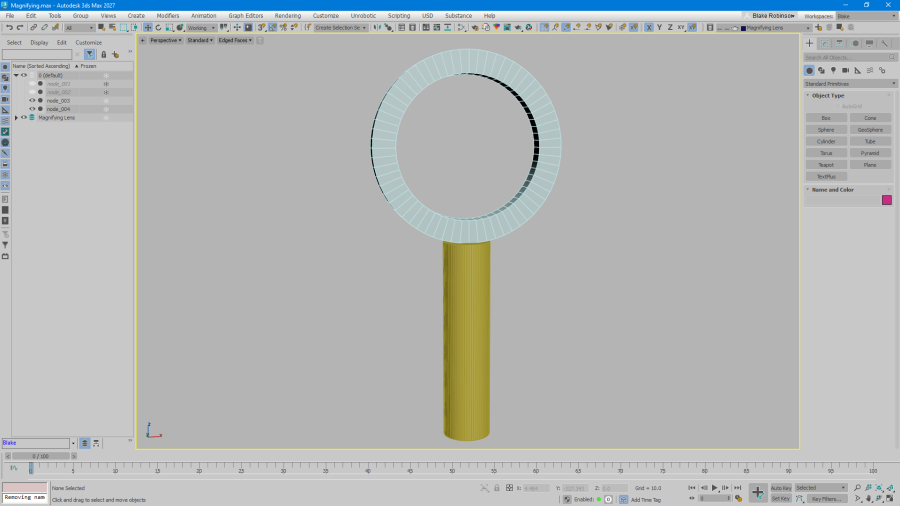
I started in 3ds Max, blocking out the basic proportions with cylinders to get a feel for the size of the thing. Nothing particularly complicated here, just a ring and a handle.
-
Blocking out the lens and handle
-
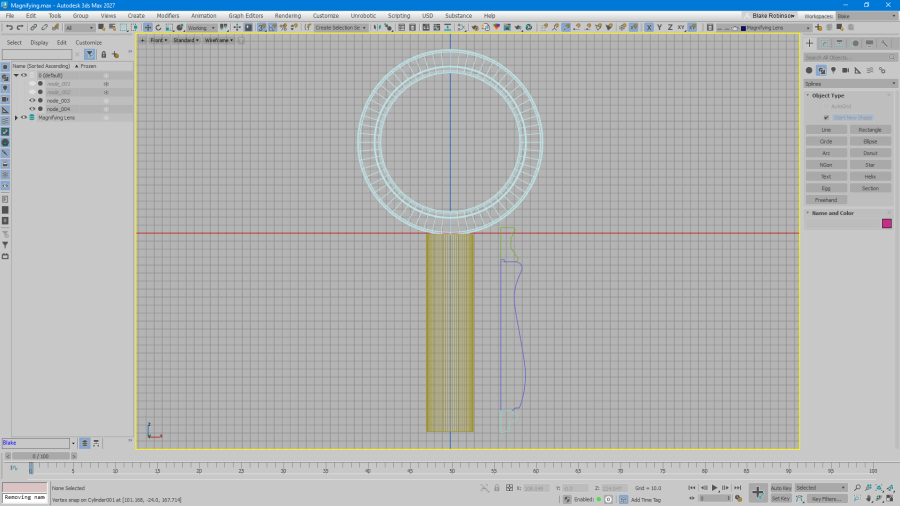
Working out the handle profile
-
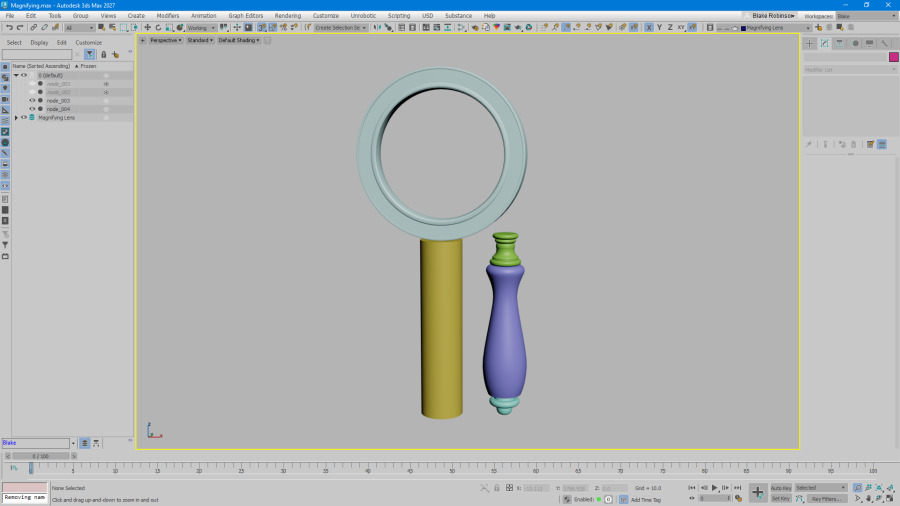
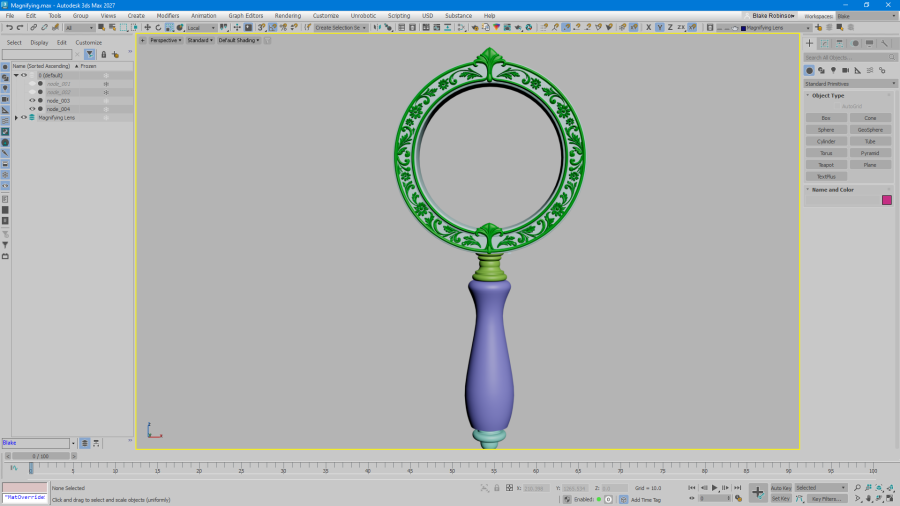
The basic lathed handle and lens rim
-
Checking the proportions from different angles
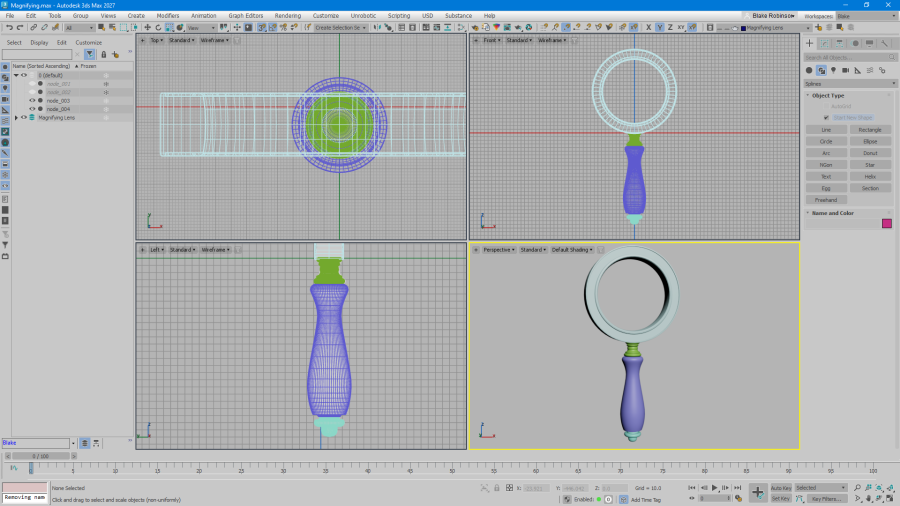
Once I was happy with the proportions, I moved on to creating the handle properly using a lathe. Since the handle is essentially a revolved profile, this made it very straightforward to build. I could draw the shape in the front viewport, tweak the curves and let the lathe do the rest.
With the basic handle and lens rim in place, I added bevels, recesses and edging to soften everything up and give the metalwork a bit more definition.
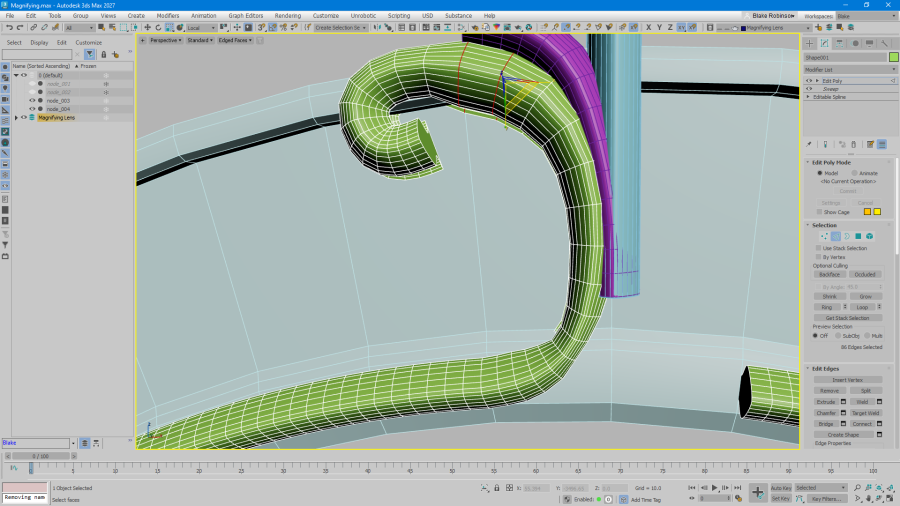
The next job was the decorative flourishes at the top and bottom of the lens holder.
-
Creating the decorative flourishes
-
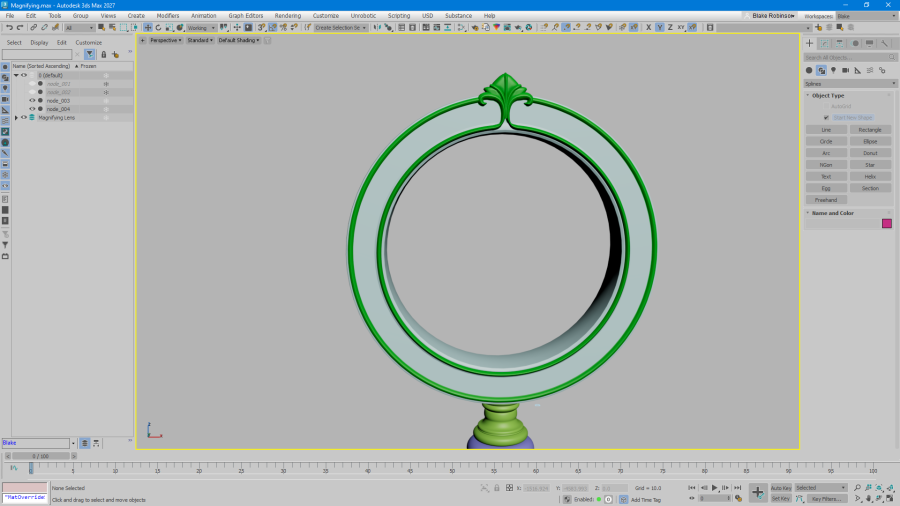
Shaping the ornamental details
-
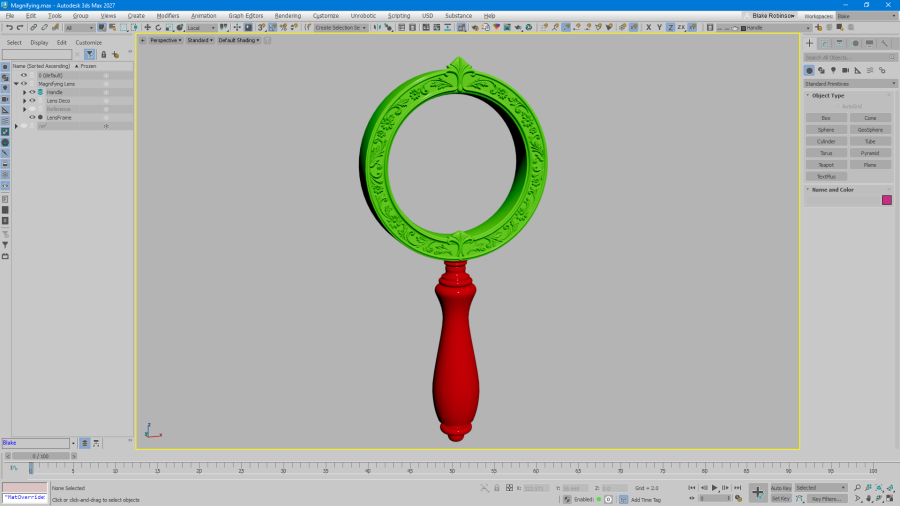
The completed decorative frame
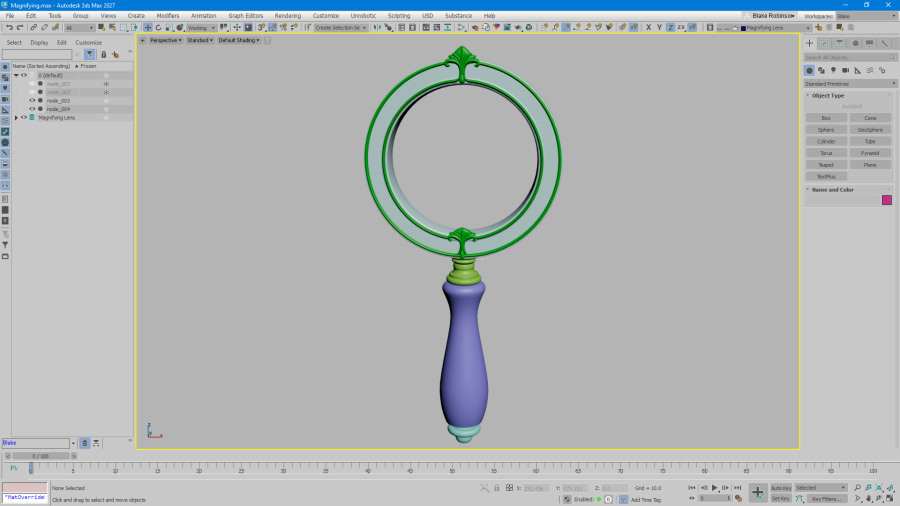
These were created using splines, tracing around the edge of the rim and then drawing in the little fanning spine shapes. I used a 3x3 FFD to shape the more bulbous sections between them, gradually adjusting everything to match the original magnifying glass.
As usual, I only worked on one side of the model, using a Symmetry modifier to reflect the changes across to the other. There's not much point doing the same work twice.
Once the splines were in place, I shaped and tapered them to create the final decorative pieces.
A Bit of Sculpting
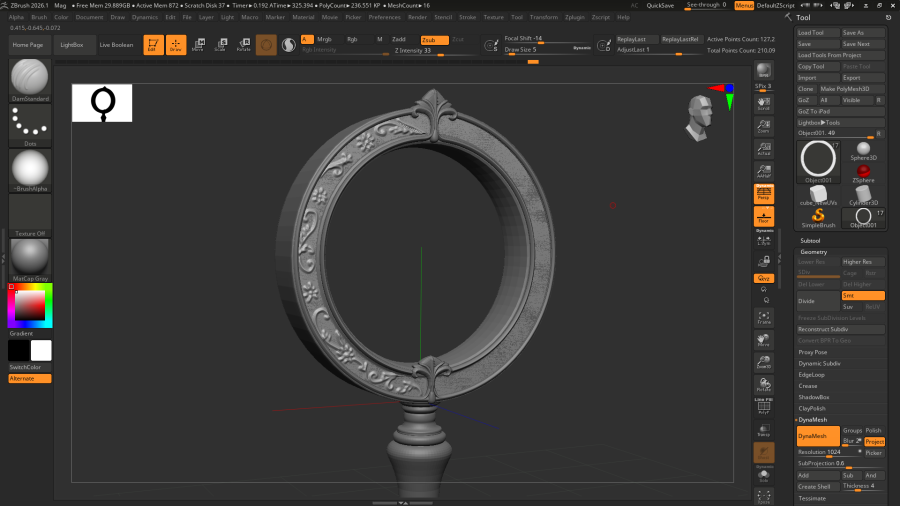
The lens holder has quite a lot of ornate flowerwork around its front surface. Little vines, leaves, flowers and other decorative shapes that follow the curve of the frame.
Initially, I attempted to build all of this using splines in 3ds Max.
That was a mistake.
It worked, but it was taking an absolutely ridiculous amount of time to lay everything out, adjust the curves and give each part the right shape. After spending far too long on a relatively small section, I decided it would be considerably easier to sculpt the detail instead.
-
Sculpting the floral details in ZBrush
-
Bringing the sculpted details back into 3ds Max
I brought the model into ZBrush and started sketching the decoration directly onto the surface. First blocking out the vines, flowers and leaves, then going over everything with Clay, DamStandard and a few other sculpting brushes to build up the forms, smooth them out and add smaller details.
This was considerably quicker, and gave the decoration a much more natural, hand-worked appearance than the splines I'd been trying to use.
Once I was happy with it, I sliced away everything except the surface decoration and brought those shapes back into 3ds Max, where they could sit on top of the original lens rim.
With that finished, the modelling was pretty much complete. From start to finish, it took about two hours. It's not an especially complex object, and apart from my brief insistence on making the flowerwork the hard way, everything was reasonably straightforward.
UV Mapping and Texturing
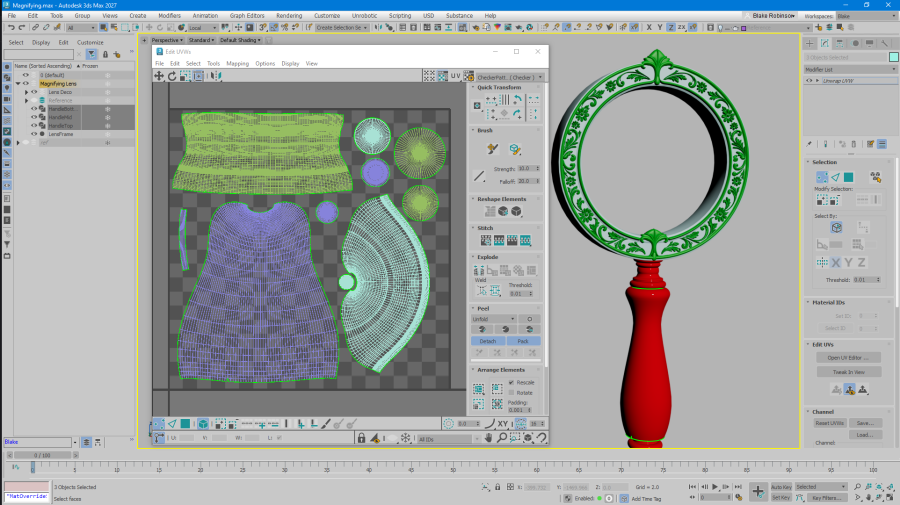
Next came the UV mapping, again done in 3ds Max.
The handle was mostly cylindrical mapping, with some of the more horizontal sections separated and mapped from above. I also split the UVs between the wooden and metal parts of the handle, making them easier to work with when texturing.
I placed the main seams at the back of the handle, away from where they'd normally be visible.
The lens rim was similarly straightforward, using a combination of planar and cylindrical mapping for the frame itself, with a separate front-facing planar projection for all the decorative flowerwork.
-
UV mapping the model
-
Applying the aged materials in Substance Painter
With the UVs finished, I moved everything into Substance Painter.
I wanted the finished magnifying glass to look old and well-used, but not completely rotten or falling apart. Something that had been handled, carried around and looked after over the years, rather than something dug out of a swamp.
I experimented with a few different metals, including silver, gold and bronze, eventually settling on a dark bronze-plated finish with silver showing through where the plating had worn away.
The wooden handle received a similar treatment, with scratches, worn areas and some subtle variation in its finish.
Substance Painter needed a little persuasion to get the ambient occlusion behaving properly around the more intricate decorations, but otherwise the texturing was fairly painless.
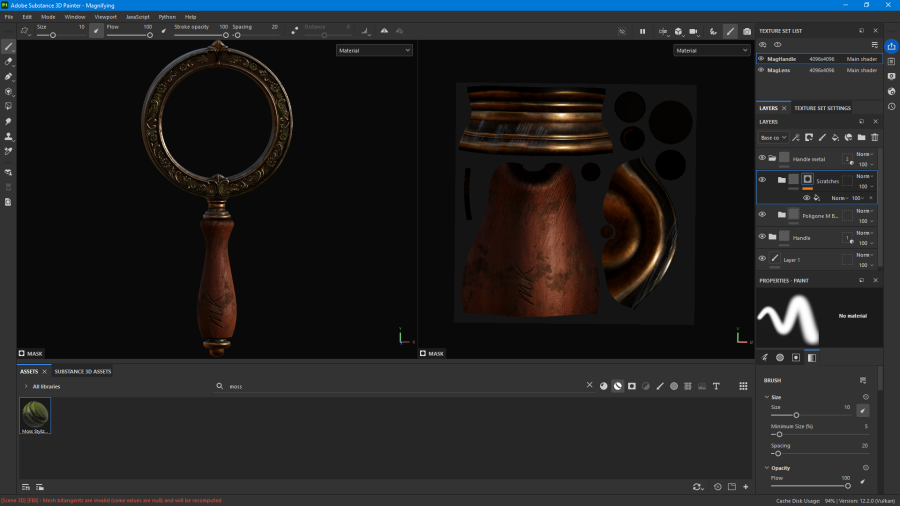
I also engraved a small 'MK' into the handle.
This is a little reference to the wider Gloom Theory lore. MK is a recurring character who once owned the Gloomnomicon and spent some time researching it. She's also rather obsessed with keys and secrets, and has an article dedicated to her over on Mysterious Theories.
Not much is known about the magnifying glass itself, other than that it was found among her possessions after her death.
Making It Work
Although I'd created a full 3D model, I didn't actually need to display it in 3D on the website.
The magnifying glass doesn't need to rotate freely or be viewed from different angles while you're using it, so I rendered the finished object down to a 2D image. This kept things considerably simpler, with no need for a browser-based 3D renderer, proxy meshes or complicated shaders.
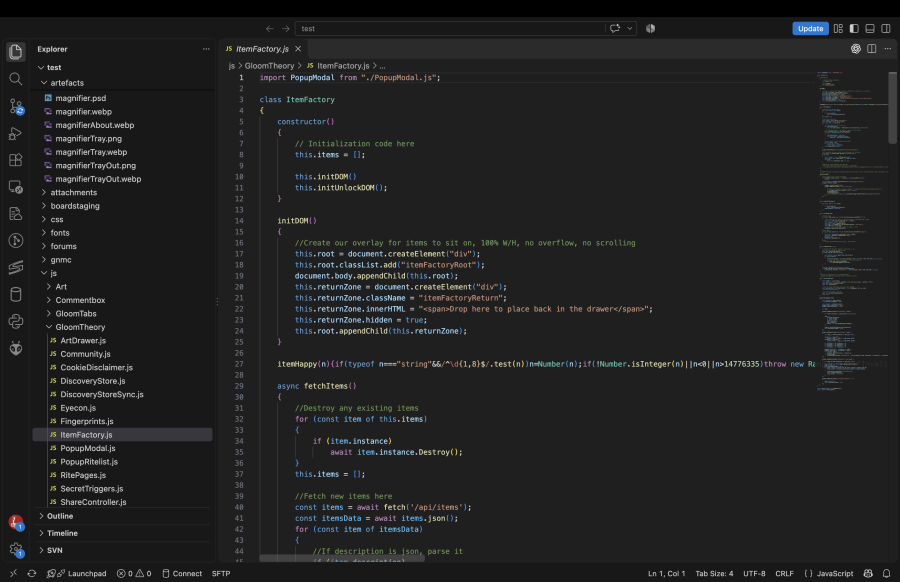
The site's artefact handling controls dragging, adding a little weight and sway to the object as you move it around the screen. Combined with some CSS shadows, it gives the magnifying glass a reasonable sense of physical presence despite being a flat image.
The lens itself is where things get a little more interesting.
Rather than behaving like an entirely normal magnifying glass, it's intended to be slightly 'supernatural'. For the most part, the page looks exactly as it normally would, but moving the lens over certain areas can reveal things that were previously hidden.
Letters, objects and other secrets can appear beneath the glass, slightly magnified, warped and blurred. Some of these can be clicked to collect additional items, while others are simply little bits of hidden text, including conversations and assorted nonsense between myself and Gloom.
The website also remembers where you left the magnifying glass and whether you had it open, so you don't have to keep setting it up every time you return.
One thing I would have liked to get working properly was a more realistic lens effect across the entire page. Actual refraction, scratches on the glass, and distortion of whatever happened to be underneath it as you moved it around. Maybe something to experiment with in future if HTML5 can do it.
Finished!
I'm very happy with how the finished magnifying glass turned out.
It still looks recognisably like the original, but with a little more age and character. I think the worn bronze, engraved handle and sculpted decoration work nicely together without making it look excessively distressed.
More importantly, the artefact system is now working on the Gloom Theory website, and people are already using the magnifying glass to hunt for secrets.
It's a fairly small addition to the site, but it lays the groundwork for other artefacts with their own uses and interactions.
And now I have a perfectly good excuse to model a lot more strange objects.
Recommended articles
Here's a few articles I recommend if you're looking for things similar to this one.
The Gloomnomicon
Related by tags
3dmodellingArkwright & Voss
Perilous Prospector
Reprinted Slipgate from Quake
"Gamepig" from System Shock Remake
March 7th Camera from Honkai Star Rail
"Gamepig" from System Shock 2
Astral Express from Honkai Star Rail
Icarus from Quake 2
Silent Hill 2 - Pyramid Head Minifig
Technician from Quake 2
artThat's a wrap, 2025 edition
Multivaders - The Sagan Research Outpost
3dsmaxSystem Shock 2 - Duct
System Shock 2 - Button
System Shock 2 - Terminal Box
System Shock 2 - Door Med 1
System Shock 2 - Cryo Pod
Anya Forger from Spy x Family heh
substanceティキ the Kiwi
Space Force Flamingo
Who I am
I'm Blake and I like to tinker with things and make stuff. When I'm not programming or developing random systems, I'm playing with electronics, doodling bits of art, 3D modelling or sculpting and painting things or nerding out watching sci-fi or horror TV.
From 2001 I worked in the games industry, eventually specialising in tools to aid in the development of video games and their engines. In 2011 I left the industry and teamed up with a few other talented composers to utilise my knowledge to help build the company 'Spitfire Audio'.
I also periodically compose soundtracks for video-games and have worked on titles such as The Stanley Parable, Portal Knights, Lost in Random as well as a few random projects such as trailer for Terraria and Minecraft and the like. You've probably also heard my music in random TV commercials at some point.
What I'm using to create

I use various bits and bobs to craft my shiz.
- Elegoo Saturn 4 Ultra, Mars 5 Ultra, Mars 4 Ultra,
- 3x Mars 3 Pro backup printers for speed,
- Elegoo ABS-like Resin 3.0,
- Sunla Water-washable grey,
- Elegoo Resin Space Grey 8k,
- Phrozen Luna curing station,
- Vallejo Model Color, Game Air, various sets,
- Iwata Eclipse HP-CS & Studio Smart Jet Pro Compressor,
- Random cheapo airbrushes for base coats,
- 3D Studio Max, ZBrush and Chitubox Pro.